
Need a Shorts cover?
We can make a vertical YouTube Shorts cover frame for you.
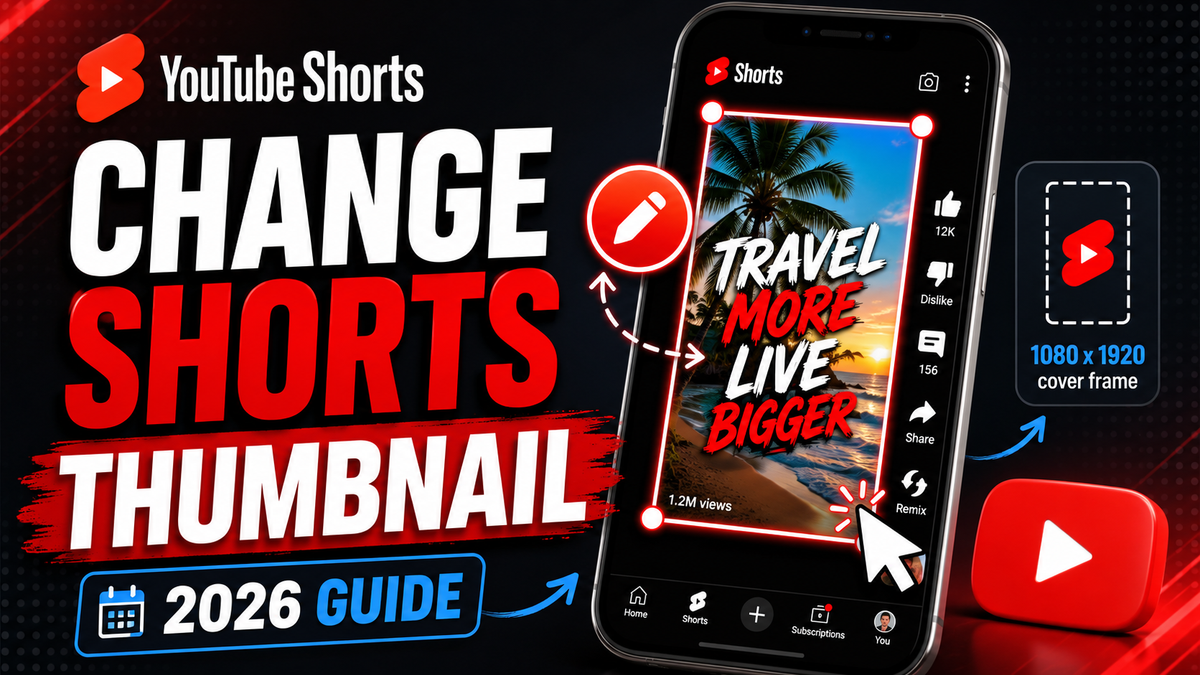
Order a 1080 x 1920 cover frame, add it into your Short, then pick that frame as your thumbnail in the YouTube app.
Order a Shorts CoverHow to change a YouTube Shorts thumbnail after upload
To change a YouTube Shorts thumbnail after upload, use the YouTube app. This is the path YouTube documents for Shorts thumbnail edits.
- Open the YouTube app on your phone.
- Go to your channel page.
- Tap Your videos.
- Find the Short you want to edit.
- Tap More.
- Tap Edit.
- Tap the thumbnail or pencil icon.
- Pick the frame you want from the Short.
- Tap Done.
- Save your changes.
If the thumbnail does not update right away, wait a bit and check again later. Thumbnail changes can take time to show everywhere.
How to change a YouTube Shorts thumbnail before upload
This is the cleanest time to choose a frame because the Short is not live yet.
- Open the YouTube app.
- Tap Create.
- Choose Short.
- Record or upload your Short.
- Go to the final upload screen.
- Tap the edit icon on the thumbnail preview.
- Move through the video and pick the frame you want.
- Add text or a filter if YouTube offers that option in your app.
- Tap Done.
- Finish the title, details, and upload.
Can you change a YouTube Shorts thumbnail on desktop?
For Shorts, use the YouTube app first. YouTube's Shorts help page says Shorts thumbnail edits are handled from the YouTube app, not from YouTube Studio.
You may still see normal thumbnail tools for some videos in YouTube Studio. That is where it gets confusing. Normal long-form video thumbnails and Shorts thumbnails are not always handled the same way.
Can you upload a custom thumbnail for YouTube Shorts?
Do not treat Shorts like a normal wide YouTube thumbnail upload. YouTube's custom thumbnail help says normal verified-account custom image uploads apply to videos, but Shorts use a frame-selection flow.
The safest way to make a custom-looking YouTube Shorts thumbnail is:
- Make a vertical 1080 x 1920 cover frame.
- Add that image as a frame inside your Short video.
- Upload the Short.
- Open the YouTube app.
- Choose that frame as the thumbnail.
That gives you more design control while still using YouTube's Shorts thumbnail tool.
Best YouTube Shorts thumbnail size
A normal YouTube thumbnail is wide. A Shorts cover frame should be vertical. Use 1080 x 1920 when you want a clean phone-first cover frame.
How to use a custom Shorts cover frame
A Shorts cover frame is a still image that you place inside the video. It is not a separate desktop thumbnail upload. It is part of the Short, so the YouTube app can select it as a frame.
- Make or order a 1080 x 1920 cover frame.
- Add it into your Short with your editing app.
- Place it near the start or near the end.
- Keep it on screen long enough to select it.
- Upload the Short.
- Open the YouTube app.
- Pick that cover frame as the thumbnail.
If the frame is at the start, viewers may see it as part of the video. If it is at the end, it may feel less distracting. Test both and use what feels cleaner for your content.
Design tips for a better Shorts thumbnail
- Use big text that is easy to read on a phone.
- Use only a few words.
- Show one clear face, object, result, or scene.
- Keep the main subject near the center.
- Use strong contrast.
- Avoid putting important text at the very top or bottom.
- Make the thumbnail understandable when it is small.
Good Shorts cover text is usually short and punchy. Examples: Wait For It, New Trick, Before And After, I Tried This, Big Mistake, and Best Build.
Why your YouTube Shorts thumbnail is not changing
You are using YouTube Studio instead of the YouTube app
For Shorts, start with the YouTube app on your phone.
The change needs more time
Save the thumbnail, wait a little, then check the channel page, search, and video grid again.
Your app is out of date
Update the YouTube app and try again.
The frame is hard to see
Pick a clearer frame with stronger contrast and a larger subject.
YouTube is cropping the image in that placement
Different YouTube surfaces can crop or show thumbnails differently. Keep the important parts centered.
The thumbnail breaks YouTube rules
Avoid misleading, graphic, adult, hateful, or dangerous thumbnail content. YouTube can limit thumbnail use when a thumbnail violates policy.
Do Shorts thumbnails matter?
Yes, but they are not magic. Shorts are often discovered in the Shorts feed, where people swipe fast. A cover can still matter on your channel page, search, browse areas, and video grids.
Think of the cover frame like a sign. It should make the Short easy to understand before someone taps.
When to order a YouTube Shorts cover
Order a Shorts cover if you want a cleaner, more professional frame to select inside the YouTube app. This is useful for tutorials, gaming clips, before and after videos, fitness videos, product clips, music clips, podcast clips, reaction clips, business tips, and faceless videos.
If you already have the Short edited, send the video link or upload the frame idea. If you only have a rough idea, tell us the topic, the mood, and the words you want people to notice.
YouTube Shorts thumbnail FAQ
Can I change a YouTube Shorts thumbnail after upload?
Yes. YouTube's Shorts creation help says you can choose a frame before or after upload from the YouTube app.
Can I change a Shorts thumbnail from YouTube Studio?
Use the YouTube app first. That is the clearest documented Shorts thumbnail path.
What size should a YouTube Shorts thumbnail be?
If you are making a vertical cover frame, use 1080 x 1920 pixels.
Can I use a normal YouTube thumbnail for Shorts?
A normal YouTube thumbnail is wide. A Shorts cover frame should be vertical.
Will changing my Shorts thumbnail get me more views?
A better cover can help people understand the Short. It does not guarantee more views. The video idea, hook, retention, and topic still matter.
This guide was last checked in June 2026 using YouTube Help for Shorts creation, YouTube Help for custom thumbnails, and Google Search Central people-first content guidance.
Want it done for you?
We can make the 1080 x 1920 Shorts cover frame for you.
Send the Short idea, video link, references, and the words you want on the cover. We will make a clean vertical frame you can add to the Short and select in the YouTube app.
Order your Shorts cover now